How to automate outreach without being spammy (2026 tool comparison)
Disclosure: This page contains affiliate links. We may earn a commission if you purchase through these links, at no extra cost to you. We only recommend tools we use and trust.
Want more leads from Google Maps?
MapsLeadEngine scrapes, scores, and enriches local business data — automatically.
How to automate outreach without being spammy (2026 tool comparison)
Automate outreach without being spammy by sending fewer, better-targeted messages: verify contacts, segment by “trigger + fit,” personalize 20% of each message, use 2–4 follow-ups max, and stop sequences the moment someone engages. Expect 2–6% reply rates in 14 days.
The problem: automation makes it easy to annoy the exact people you want to win
Most “automated outreach” fails for one of three reasons:
- Bad targeting (you’re emailing people who will never buy).
- Bad deliverability (your emails don’t land in inboxes).
- Bad timing + tone (too many touches, too generic, too fast).
The solution is not “less automation.” It’s automation with constraints: strict list hygiene, rules-based personalization, measured follow-ups, and immediate exit conditions.
[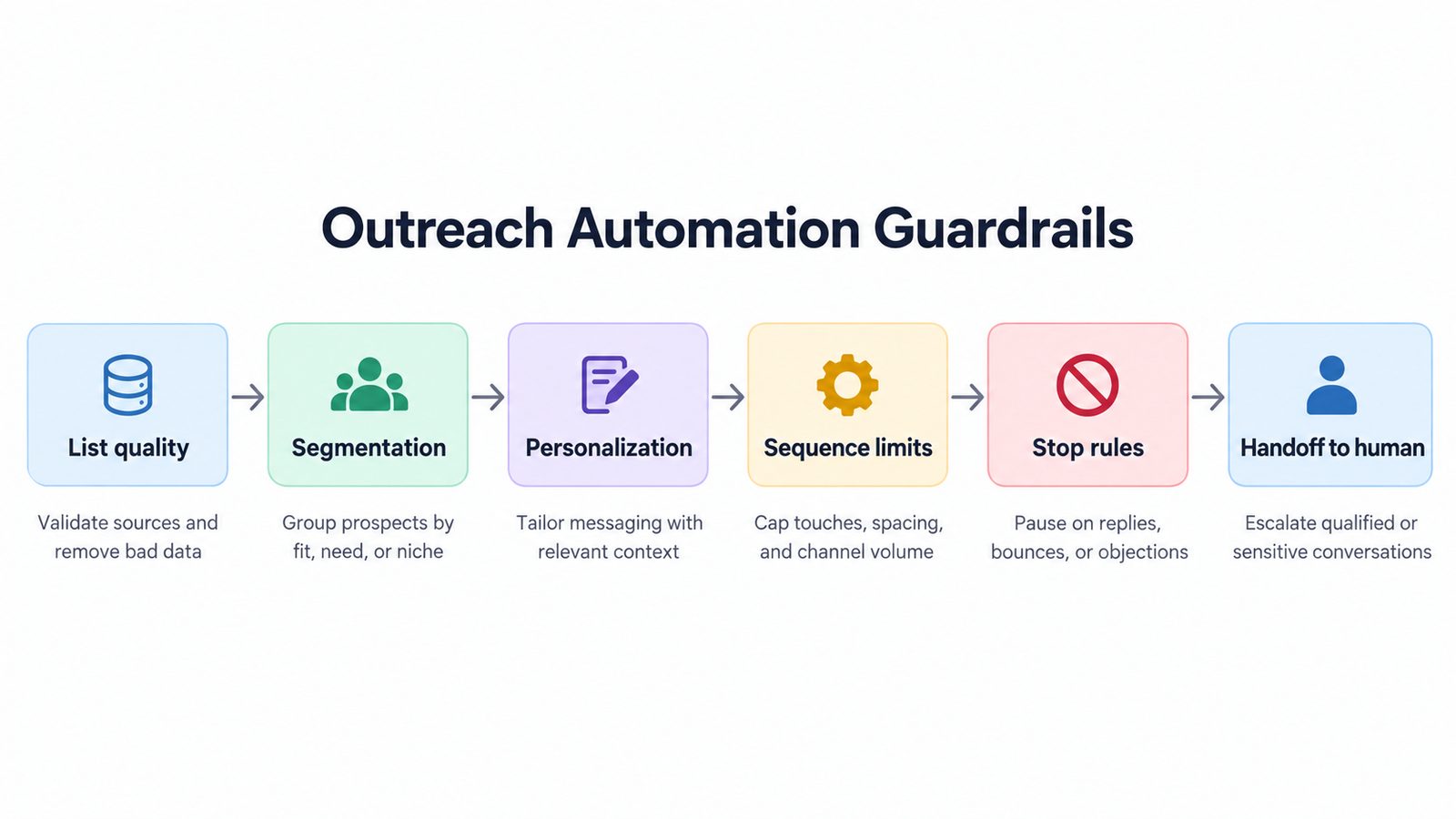 : simple flowchart showing outreach automation guardrails—List quality → Segmentation → Personalization → Sequence limits → Stop rules → Handoff to human]
Step-by-step solution (4 steps you can implement this week)
Step 1) Build a “safe list” (quality > volume)
Your first concrete goal: collect 300–800 prospects you can email confidently in the next 14 days.
Checklist (non-negotiable): 1. Only target one ICP per campaign (e.g., “US-based med spas with 3–15 staff”). 2. Pull contacts from credible sources (company sites, LinkedIn, trusted databases). 3. Verify emails before sending to reduce bounces (aim <2% bounce rate). 4. Remove role accounts (info@, support@) unless you have a strong reason.
Practical targeting rule (works in 2026):
Choose 1 niche + 1 pain point + 1 trigger.
- Niche: “Local home services”
- Pain point: “Low Google Maps conversion”
- Trigger: “GBP has <15 reviews or no posts in 30 days”
Where people go wrong: they start with 10,000 contacts. Start with 500. You’ll learn faster and protect deliverability.
Useful references (authoritative):
- Google re: spam policies (applies conceptually to email quality too): https://support.google.com/mail/answer/81126
- CAN-SPAM compliance basics (US): https://www.ftc.gov/business-guidance/resources/can-spam-act-compliance-guide-business
- GDPR lawful basis overview (EU): https://gdpr.eu/what-is-gdpr/
Step 2) Segment by “Trigger + Fit” and write 2–3 message variants
Automation gets “spammy” when every prospect gets the same message.
Create 3 segments max for your first campaign: - Segment A (High trigger + high fit): urgent, direct offer - Segment B (Trigger + medium fit): educational ask - Segment C (Low trigger + high fit): relationship-first, short
Example segmentation fields (simple, reliable): - Industry - Employee count - Location - Trigger event (new location opened, hiring, no recent reviews, etc.)
Write 2–3 variants per segment: - Variant 1: “Audit-based” - Variant 2: “Case study-based” - Variant 3: “Question-based”
Spammy → Not spammy rewrite rule:
If your first email contains more than one link or more than two claims, simplify it.
Step 3) Build a sequence that stops aggressively (2–4 follow-ups max)
A non-spammy automated sequence is short, paced, and has exit rules.
Recommended sequence (B2B, 2026): 1. Day 1: Email #1 (30–70 words) 2. Day 3: Follow-up #1 (30–50 words) 3. Day 7: Follow-up #2 (a different angle, not “bumping”) 4. Day 12: Break-up email (polite close)
Hard limits (use these): - Max 4 total emails per prospect in one sequence. - 48–96 hours between touches. - One CTA per email.
Stop rules (this is what keeps you non-spammy): - If they reply → stop automation, hand to a human. - If they click → stop and move to a “warm lead” sequence. - If they book → stop everything except reminders. - If they unsubscribe → suppress permanently.
Personalization rule that scales:
Personalize 20% of the message, standardize 80%.
- 1 custom line: a trigger observation (“Noticed you haven’t posted on your Google Business Profile since May.”)
- 1 relevant offer line: what you’ll do (“I can record a 5-minute screen audit showing 3 fixes.”)
- Everything else templated.
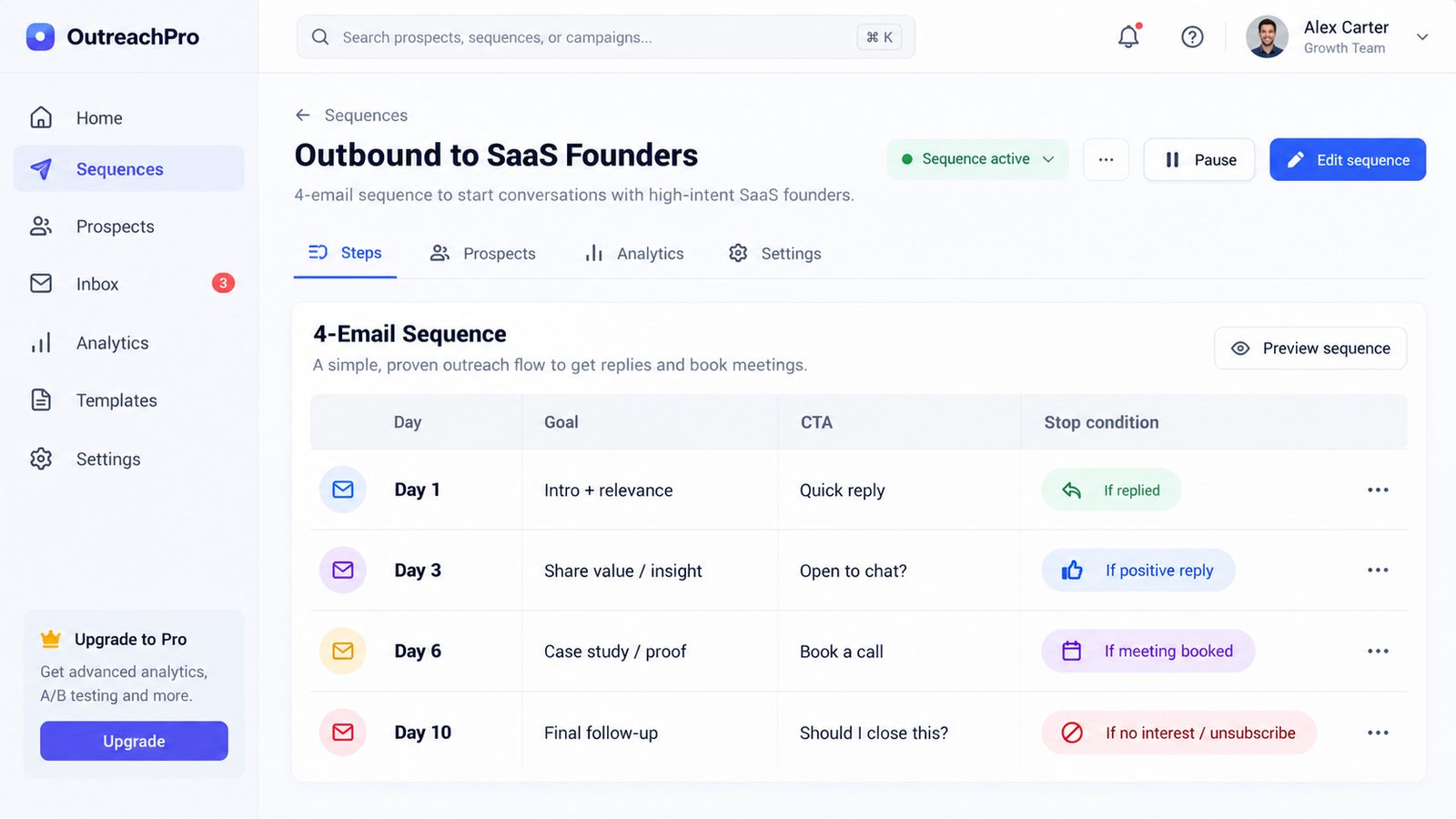 : screenshot-style mockup of a 4-email sequence with columns for Day, Goal, CTA, Stop condition]
Step 4) Add a “human-in-the-loop” handoff within 5 minutes
Automation should start conversations, not close complex deals alone.
Concrete workflow: - When a reply arrives → assign owner + SLA of 5 minutes during business hours. - Use a short routing rule: niche/territory/client-type. - Respond with a human message referencing their reply (no templates).
Why this matters: fast response time is one of the few advantages small agencies still have. If your automation gets a reply but your team responds 12 hours later, it feels robotic.
Tools & resources that help (tool comparison for 2026 buyers)
1) Outreach + lead data platforms (for targeting + sequencing)
Use these if you need prospect lists, contact enrichment, and multi-step sequences.
| Tool | Good for | Typical cost (2026) | Learning curve | Notable limitations |
|---|---|---|---|---|
| Apollo.io | Finding contacts + running sequences in one place | ~$59–$99+/user/mo | Medium | Contact data varies by region/industry; you still must verify |
| RocketReach | Quick email/phone lookup for specific targets | ~$60–$150+/mo | Low | Better for lookup than full automation |
| Free-ish alternative | Manual prospecting + simple sends | $0–$50/mo | Medium | Slower; harder to scale and track |
My practical pick:
- If you want one system to prospect + sequence: Apollo.
- If you already have lists and just need missing emails/phones: RocketReach.
2) CRM + automation platforms (for “non-spammy” rules and handoffs)
These help you enforce stop rules, segmentation, and fast routing.
| Tool | Good for | Typical cost (2026) | Learning curve | Notable limitations |
|---|---|---|---|---|
| HubSpot CRM | Free CRM + basic pipelines and tracking | Free → paid tiers | Low | Automation is limited on free plan |
| HubSpot | Strong workflows, attribution, lifecycle stages | Often $800+/mo at scale | Medium | Can get expensive as contacts/features grow |
| ActiveCampaign | Email automation + segmentation at a reasonable price | ~$29–$149+/mo+ | Medium | Best for opt-in/warm lists; outbound requires care |
| GoHighLevel Starter | Agencies needing CRM + automation + client reporting | ~$97/mo | Medium | Setup takes time; email deliverability depends on your configuration |
| GoHighLevel Unlimited | Agencies managing many sub-accounts | ~$297/mo | Medium-High | More moving parts; needs process discipline |
| Free alternative | Google Sheets + Gmail + reminders | $0 | Low | No real automation/stop rules; easy to lose leads |
How to choose (fast): - You’re a solo operator: HubSpot CRM + one sequencing tool is plenty. - You’re an agency with multiple clients: GoHighLevel (Starter → Unlimited when you need sub-accounts). - You’re email-automation heavy with segmentation needs: ActiveCampaign (especially for warm outreach + nurture).
3) Landing pages (so your CTA isn’t “let’s hop on a call”)
A non-spammy CTA often looks like: “Want me to send the audit?” not “Book a demo.”
Use a simple landing page to: - show 1 proof point, - explain the audit, - collect the right info.
Option: - Leadpages for fast pages without dev help.
Free alternative: a clean Google Doc + Calendly link (less branded, but works).
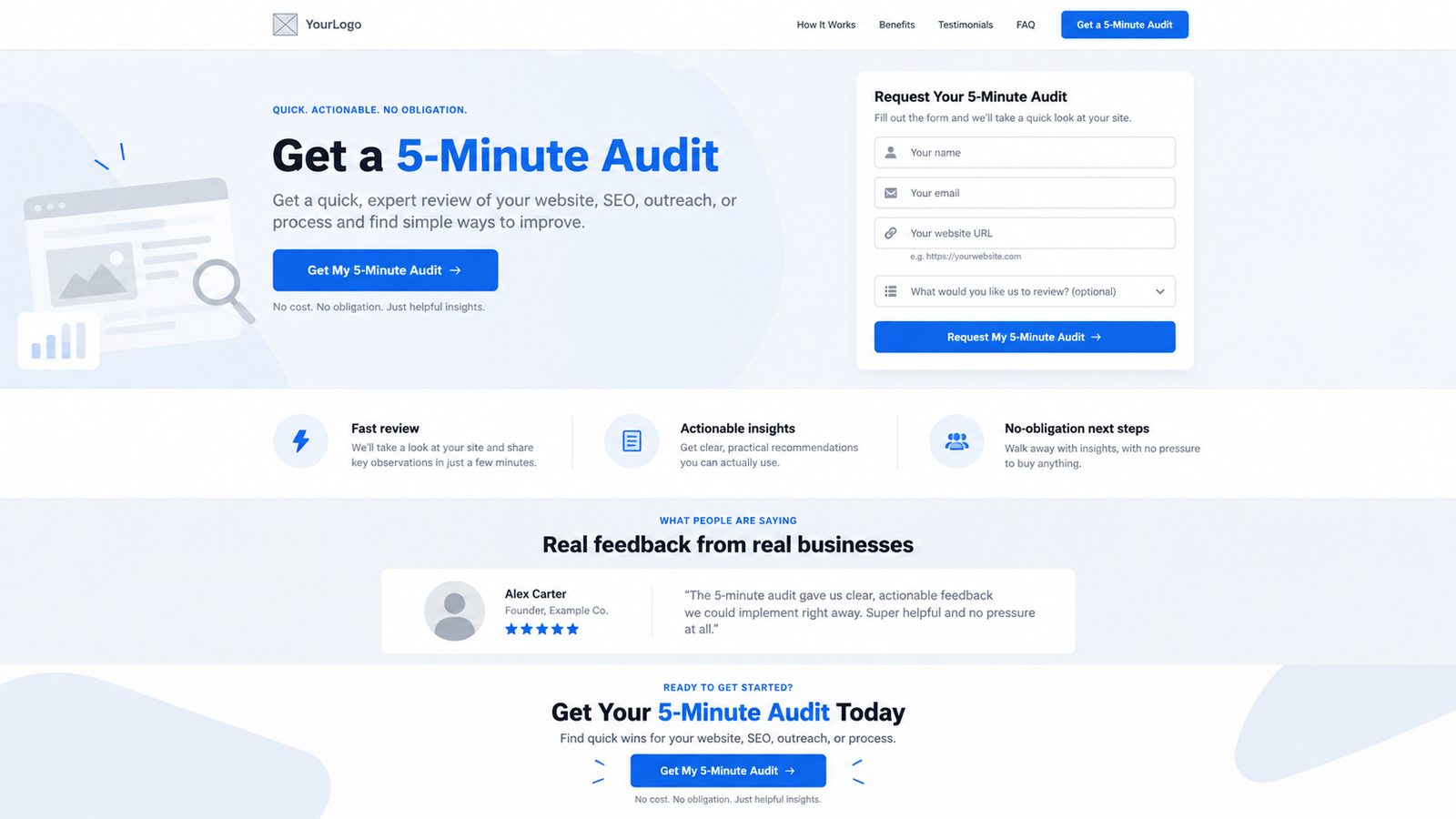 : landing page wireframe for a “5-minute audit” offer with one testimonial and a simple form]
Expected results & timeline (what “good” looks like)
Assuming a 500-contact campaign to a tight ICP, with verified emails and 4-step sequence:
In 14 days, realistic ranges
- Delivery rate: 95–99% (if verified and domain is healthy)
- Open rate: 35–55% (highly dependent on deliverability and subject lines)
- Reply rate: 2–6% typical
- 500 prospects → 10–30 replies
- Positive reply rate: 0.5–2%
- 500 prospects → 2–10 interested leads
- Booked calls: 0.3–1%
- 500 prospects → 1–5 calls
Timeline to launch (5 business days)
- Day 1: Define ICP + triggers + collect 200–300 prospects
- Day 2: Verify list, segment, write variants (6–9 total emails)
- Day 3: Set up automations + stop rules + routing
- Day 4: Send to first 50–100 prospects (pilot)
- Day 5: Adjust copy/segments, then roll out to full 500
Honest limitation: If your offer is weak or generic, automation won’t save you. Expect 1–2 iterations before you hit consistent positive replies.
FAQ — 3–5 questions (People Also Ask)
How do I automate outreach without being spammy?
Use strict targeting, verified emails, short sequences (2–4 follow-ups), one CTA per message, and stop rules that end automation immediately after a reply, click, or booking.
How many follow-ups is too many in cold outreach?
For most B2B offers in 2026, more than 4 total emails in a single sequence is usually too much. If there’s no engagement after 12–14 days, stop and recycle them later with a new trigger.
What reply rate should I expect from automated cold email?
With a clean, verified list and tight ICP, 2–6% reply rate is realistic. Positive replies often land around 0.5–2%. Anything far above that is usually niche-dependent or measurement-dependent.
Is LinkedIn automation less spammy than email automation?
Not automatically. LinkedIn automation can feel spammy fast because users see patterns. Use smaller daily limits, personal first lines, and stop rules. Tools like Waalaxy can help—but only if your targeting and messaging are tight.
What’s the safest CTA for non-spammy outreach?
A low-friction CTA: “Want me to send the 5-minute audit?” or “Should I share the 3 fixes?” You’re asking permission to deliver value, not forcing a call.
Conclusion with clear next step
Non-spammy outreach automation is a rules system: tight ICP, verified lists, segmented messaging, short sequences, and aggressive stop rules. Your next step: build a 500-prospect “safe list”, write 2–3 variants, and run a 100-contact pilot within 5 days—then scale what earns positive replies.
Ready to automate your lead generation?
Join hundreds of agencies using MapsLeadEngine to find and close more local deals.